EIZO EV2456
With even further improved energy efficiency, and an even thinner bottom bezel, the EV2456 combines space saving with energy saving.

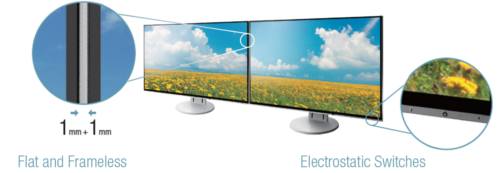
Ultra-Thin Bezels On All Four Sides

Flicker-Free Viewing
Due to the way brightness is controlled on LED backlights, a small number of people perceive flicker on their screen which causes eye fatigue. The FlexScan EV series utilizes a hybrid solution to regulate brightness and make flicker unperceivable without any drawbacks like compromising color stability – even on low brightness settings.

Auto Brightness Control

Significantly Reduce Blue Light
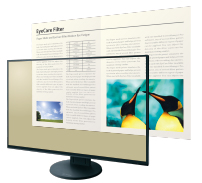
In the visible light spectrum, blue light has wave lengths adjacent to ultraviolet light. Compared to the factory preset setting of 6,500 K of typical LCD monitors, Paper Mode is closer to the spectral distribution with long reddish wavelengths so it reduces the amount of blue light, a cause of eye fatigue, and helps prevent eyestrain when reading documents.
FlexScan monitors are certified by TÜV Rheinland to have low blue light and be flicker-free.
The Latest on Computer Screens and Eye Fatigue - Go to the EIZO Global Website
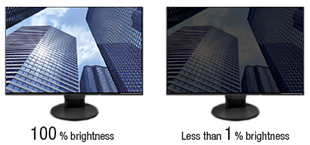
1% - 100% Brightness Range
Clear View from All Angles
Smooth Color Gradations
White on White
New Stand Design - Greater Height Adjustment
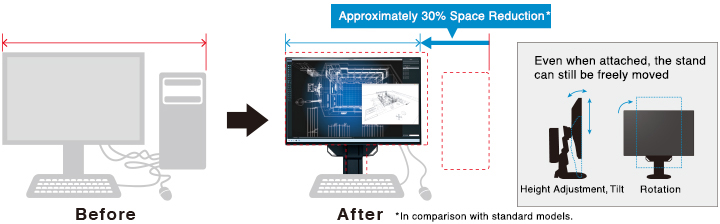
The EV2456 comes with our latest stand design. It boasts greater height adjustment, and due to the tilted design has a base 43 mm smaller than previous stands giving you more space at your work station. Furthermore, the stand comes attached in the box – simply pull it out, plug it in – no stand setup required.

More Space
Work better with more space due to the compact design of the EV2456.

SCREEN INSTYLE
EIZO MONITOR CONFIGURATOR FOR ADMINISTRATORS
LED BACKLIGHT - LESS POWER, LONGER LIFE
Free Up Your Workspace with a Stand Bracket
The PCSK-03 is a VESA-compliant bracket for easily mounting a client terminal such as a thin client or mini PC to the back of the monitor's stand. The space the client terminal previously occupied is now freed up so you can make better use of your desktop. Even with the client terminal attached you can adjust the monitor's stand freely.
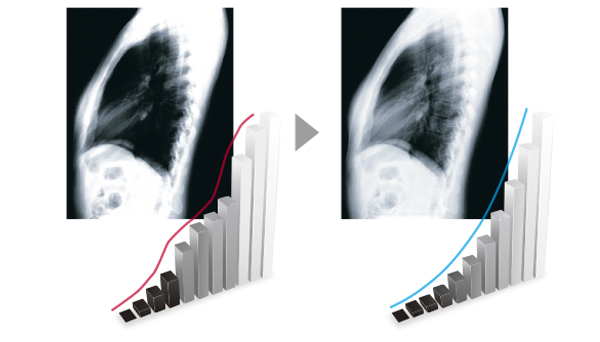
See more with a DICOM pre-set mode
ZERO BRIGHT PIXELS

5-YEAR WARRANTY

Maximum Energy Savings
The FlexScan EV2456 typically consumes just 11 watts, earning it the EU Energy Label maximum rating of A++. What's more, all models are certified for visual ergonomics and energy savings.

Our Contribution to SDGs
|
As part of its corporate social responsibility (CSR) activities, EIZO is contributing towards the United Nations’ Sustainable Development Goals (SDGs). |

Environmentally Friendly
This contribution extends to our FlexScan Monitors; environmentally friendly monitors made with ever improving energy efficiency, using recycled plastics and sustainably procured materials, boxed in recyclable packaging, and with a responsible after-service recycling system.

Higher Work Efficiency
Furthermore, with innovate technology and software, we aim to improve the working conditions and work efficiency of users. Through these features and more, FlexScan monitors are upholding the values of the UN’s Sustainable Development Goals, toward a brighter and more sustainable tomorrow.